
How to Improve Website Accessibility: ADA, WCAG & Best Practices
Nisha Katariya
Published on February 19, 2026
10 min read
Share on:
"Website accessibility is a fundamental requirement for building inclusive digital experiences. With millions of users relying on assistive technologies or facing situational limitations, businesses must make sure that their websites are designed in such a way that everyone can access information, navigate easily, and interact without barriers."
“We must ensure accessibility to avoid excluding anyone from products or services,” said Reginé Gilbert, author of a book on inclusive digital design. In an interview, she also noted that “making your business more accessible opens it up to more customers.”
Website Accessibility is important because roughly 16 percent of the global population has a disability. Despite this, many websites and online applications fail to provide equal access, leaving users with frustrating or unfair experiences.
Currently, only about 3 percent of websites are fully accessible. The good news is that this can be improved.
With the right tools and resources, businesses can update existing websites or build new ones that are fully accessible, allowing all users, regardless of ability, to engage with their products and services.
Website Accessibility is achievable for every organization that prioritizes it.
Read on to learn more about website accessibility, key accessibility features, and how to check whether your website is accessible to all.
What Is Website Accessibility?
Website accessibility, or web accessibility, means ensuring that everyone can use websites on the World Wide Web, including those with physical disabilities, temporary challenges, or limited internet speed.
Website accessibility is important because it guarantees that all individuals can access online information and services equally. Those with disabilities often rely on assistive technologies like screen readers, text magnifiers, and voice recognition software to navigate the web.
Additionally, website accessibility helps those with situational disabilities, such as individuals using mobile devices in noisy places, those with temporary injuries, and users with slow internet connections or limited bandwidth.
What is the Importance of Website Accessibility?
Creating an accessible website is beneficial for your business and customers, but failing to do so could lead to legal action.
As website owners, it is their responsibility to provide the same opportunities for browsing and enjoying sites to all members of the diverse disability communities, which include over an estimated 1 in 4 U.S. adults (or 27%) who have disabilities.
If These Website Accessibility Requirements Are Not Followed...
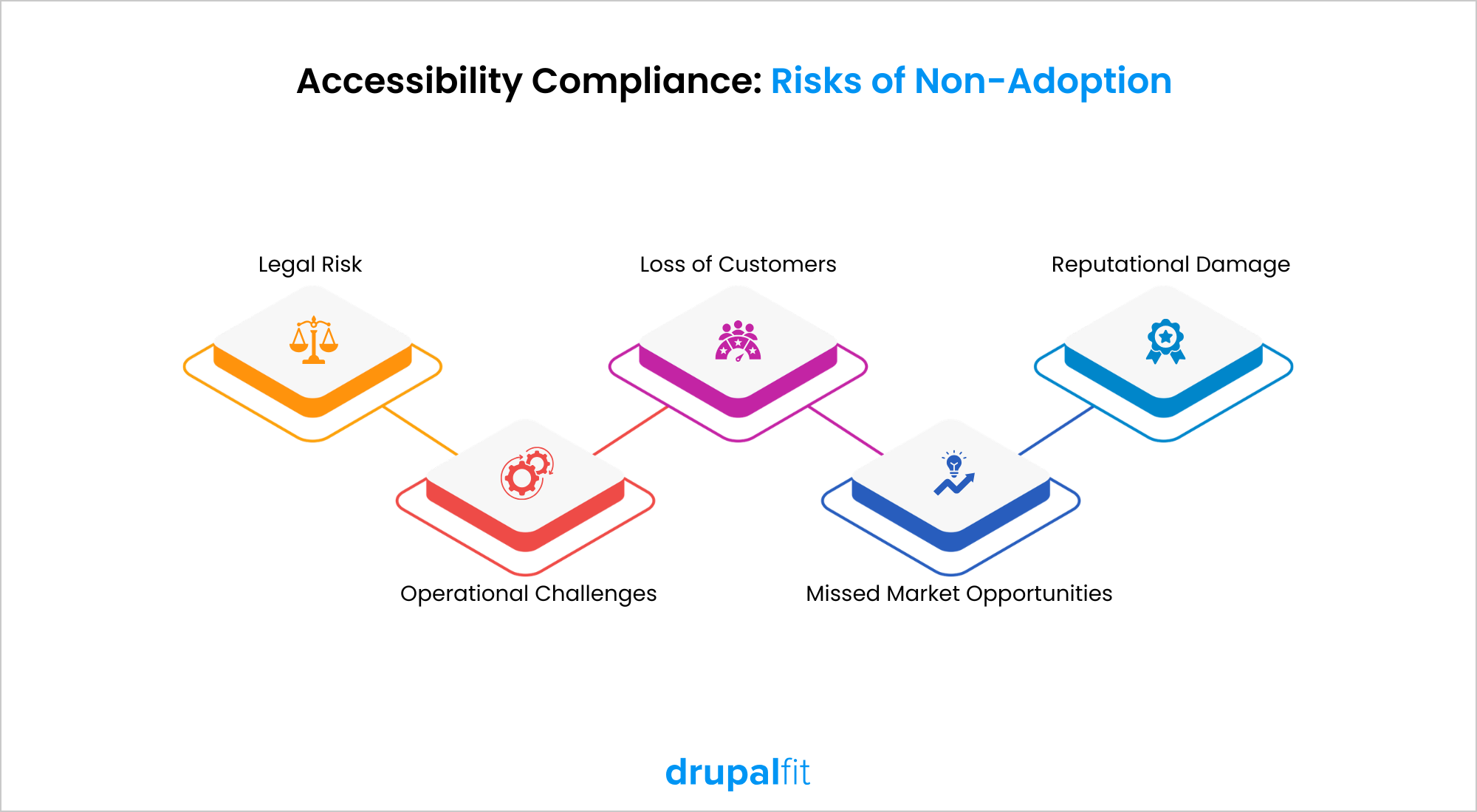
Failing to meet accessibility obligations under laws such as the Americans with Disabilities Act (U.S.), Section 508 of the Rehabilitation Act, and the Accessibility for Ontarians with Disabilities Act (Canada) can lead to:
- Legal Risk: Businesses may face lawsuits, regulatory investigations, or financial penalties for non-compliance.
- Reputational Damage: Lack of accessibility can harm brand credibility and signal exclusion rather than inclusivity.
- Loss of Customers: Users who cannot access your website are likely to turn to competitors with more inclusive digital experiences.
- Missed Market Opportunities: People with disabilities represent a significant consumer base that becomes unreachable.
- Operational Challenges: Retrofitting accessibility later is often more expensive and complex than building it in from the start.
What Accessibility Features Should a Website Have?
There are individuals with hearing difficulties, various visual impairments such as blindness, partial blindness, and color blindness, seizures, limited mobility and motor issues, neurological problems, speech difficulties, and more.
Each of these conditions poses specific challenges to making a website accessible and may require adjustments to different website components.
Therefore, here are the features you need to follow to make sure your website is up to standard:
1. Utilize colors that contrast sharply:
Individuals with vision impairments, especially those with certain types of color blindness, struggle to read text when it lacks enough contrast with its background.
To meet the standards of WCAG 2.0, 2.1, or 2.2 at Level AA, the contrast ratio must be at least 4.5:1 for text against its background, and 3:1 for titles compared to their background.
It's important to understand that this requirement applies to all significant information shown on your website.
This encompasses text-based content as well as other visual elements. The latter includes important icons, interface parts, and other graphic items that make it easy to grasp the content or functions presented on the website.
2. Include alternative text for each image:
Since screen readers cannot understand visuals, customers who are blind or have limited vision require text descriptions to maintain context. By adding alternative text (commonly known as alt text) in an image's settings, you can allow the screen reader to convey the image's content.
Creating alt text can be challenging, but it is highly beneficial for users. It should be precise, concise, and relevant to the image’s context.
It should not exceed 125 characters or contain the phrase "image of," but it must use correct punctuation and include any significant text present in the image. Images that serve only decorative purposes do not require alt text, so label them as decorative.
3. Captions & transcripts for videos that have audio content:
If a website includes significant video content that shares important information, it must provide captions. Captions function like movie subtitles.
They show what the people on screen are saying and explain non-speech elements like important sounds and sound effects. It's important to understand that captions are meant for videos with audio. Slideshows and screen recordings without audio do not require captions.
No matter which video platform you choose, ensure that the captions it offers are accurate and consistent. This is particularly important for auto-generated captions, which may not always be accurate. If you plan to use automatically generated captions, you should check them for accuracy in accordance with WCAG.
4. Enable keyboard navigation:
Not every website automatically supports keyboard-only navigation. When building a website, verify that the tab order is accurate and that drop-down menus function correctly when used solely with a keyboard.
The best approach to achieve this is to test websites manually. Open it in a browser and try to navigate using the TAB key. Check if you can reach all the content or if you encounter any obstacles.
Any issues you face will also affect visitors who rely on keyboard navigation. Be particularly cautious with themes that feature custom drop-down menus, as they may not be accessible without a mouse or trackpad in their standard configuration.
5. Add ARIA attributes
ARIA attributes can be included in HTML to clarify the purpose and content of various elements for users of assistive technology, particularly screen readers. They offer additional context about the layout of a web page, its contents, and provide more information about parts of the user interface.
For example, some ARIA attributes indicate the status of components, such as whether dropdown menus and accordions are open, or if custom checkboxes are checked.
It's important to remember that screen readers are skilled at interpreting native semantic HTML elements like <nav>, <button>, <input>, or <a>. ARIA is useful for website sections that lack semantic roles or give extra information to assistive technology users about custom elements. This includes things like hints or error notifications.
6. Choose readable fonts:
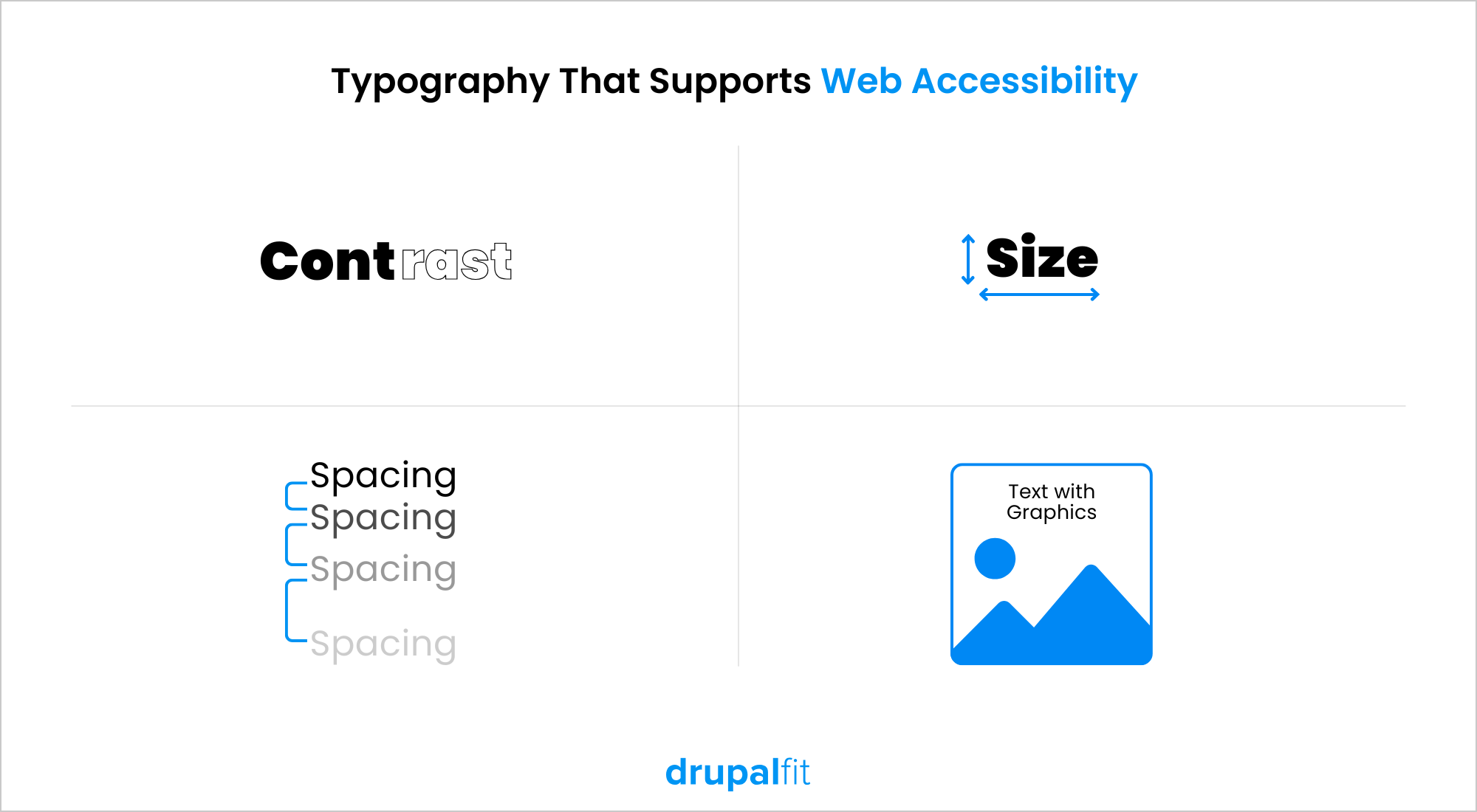
Fonts play a crucial role in web design. Some fonts are easier to read than others, which can either enhance or detract from the website accessibility.
What makes fonts easy to read?
- They are straightforward and well-known
- Their letters and symbols are clearly distinguishable
- There is adequate spacing between letters and lines
- They are not overly decorative or slanted
Of course, when picking an accessible font, these things must be verified in advance:
- It is displayed in a sufficiently large size
- It contrasts well with the background color.
Common examples are Arial, Calibri, Century Gothic, Helvetica, Tahoma, and Verdana.
How Leading Brands Approach Accessibility?
Most leading brands today follow structured website accessibility standards to make sure that their online platforms are usable by people of all abilities.
These organizations embed website accessibility directly into their design, navigation, and content structure, aligning with WCAG guidelines and inclusive UX principles.
Below are examples of how global brands implement website accessibility, specifically at the website level:
1. Apple
Apple’s website reflects the same accessibility-first philosophy seen in its products, ensuring seamless navigation for users relying on assistive technologies.
- Keyboard Navigation: The entire site can be navigated without a mouse, supporting users with motor impairments.
- Proper Button & Link Names: Clear semantic labeling helps screen readers accurately describe actions.
- Image Alt Attributes: Every image includes descriptive alternative text for visually impaired users.
- Form Labels: Structured and programmatically associated labels make forms easy to understand and complete using assistive tools.
2. Nike
Nike focuses on creating an inclusive e-commerce experience by improving readability and navigability across devices.
- Alternative Text for Images: Product and promotional visuals include descriptive alt text.
- Color Contrast & Readability: High contrast between text and background improves visibility for low-vision users.
- Skip Links Are Focusable: Users can bypass repetitive menus and jump directly to main content.
Touch Targets with Adequate Size & Spacing: Buttons and links are designed for users with limited dexterity or those using touch assistive technologies.
3. IKEA
IKEA demonstrates how accessibility can scale globally while maintaining consistency across regions and languages.
- Clear Structure & Predictable Navigation: Standardized layouts across country websites help users easily understand and move through pages.
- Accessible Color Contrast & Readable Typography: Carefully chosen colors and fonts improve readability for users with low vision.
- Descriptive Media Text: Images and visual elements include meaningful descriptions to support screen reader users.
- Keyboard-Friendly Navigation: Large product catalogs can be explored without a mouse, enabling access for users with mobility limitations.
- Published Accessibility Commitments: Ongoing updates and public statements reflect continuous improvement toward inclusive digital experiences.
How to Check If Your Website Is Accessible?
After implementing accessibility best practices, the next step is to continuously evaluate and monitor your website to ensure it remains compliant and user-friendly. Accessibility requires regular audits, testing, and improvements as your website evolves.
This includes:
- Running automated website accessibility scans to detect technical issues
- Performing manual testing (keyboard navigation, screen reader checks, etc.)
- Reviewing content structure, contrast, and media accessibility
- Validating compliance with WCAG (A, AA, and AAA) guidelines
- Monitoring updates, plugins, and design changes that may introduce new barriers
However, for many organizations, conducting these checks consistently can be complex, time-consuming, and resource-intensive.
Maintaining website accessibility shouldn’t slow down your business; it should strengthen it. This is where DrupalFit supports organizations by providing ongoing support and maintenance that helps keep Drupal websites accessible, compliant, and high-performing.
With DrupalFit, you get:
- Continuous Accessibility Monitoring: Regular audits help identify and resolve website accessibility gaps.
- Standards-Aligned Improvements: Highlights the fixes in line with WCAG recommendations and evolving compliance needs.
- Proactive Maintenance: Accessibility is maintained alongside performance, security, and usability enhancements.
- Expert Drupal Support: Our team provides on-demand assistance to help users quickly resolve any issues encountered while using DrupalFit.
- Future-Ready Approach: As regulations and user expectations evolve, your website stays aligned without requiring constant internal effort.
To End
As technologies evolve and user expectations grow along with it, businesses must continuously evaluate and refine their digital experiences to ensure inclusivity remains at the core of their strategy. By embedding accessibility into design, development, and maintenance of workflows, organizations can meet compliance requirements and also build trust, loyalty, and long-term value.
With the right expertise and continuous support from partners like DrupalFit, businesses can ensure their websites remain accessible, compliant, and future-ready, delivering digital experiences that truly work for everyone.