
Content Security Policy Explained: Protecting E-Commerce Sites
Nisha Katariya
Published on January 21, 2026
12 min read
Share on:
The Content Security Policy (CSP) header plays an important role in meeting PCI DSS (Payment Card Industry Data Security Standard) requirements, especially on payment and checkout pages. It helps assure that only trusted scripts are allowed to run, protects script integrity, and shields customers from client-side attacks that traditional backend security often fails to catch.
In today’s e-commerce environment, particularly on Drupal Commerce websites, strong CSP rules are no longer a nice-to-have. They are needed for protecting payment data, earning customer trust, and staying compliant with modern security standards.
When Content-Security-Policy headers are applied at the server level, browsers can automatically block unauthorized or malicious requests that try to inject dynamic content into a page. This added layer of defense greatly reduces the risk of script-based attacks during sensitive actions like checkout and payment processing.
Content Security Policy is important, but it’s only one part of website security. Issues like outdated versions, weak configurations, and third-party scripts can also introduce risks.
A security audit helps identify what’s affecting your site and shows where improvements are needed to reduce vulnerabilities and strengthen protection.
Now, let's understand...
What is a Content Security Policy?
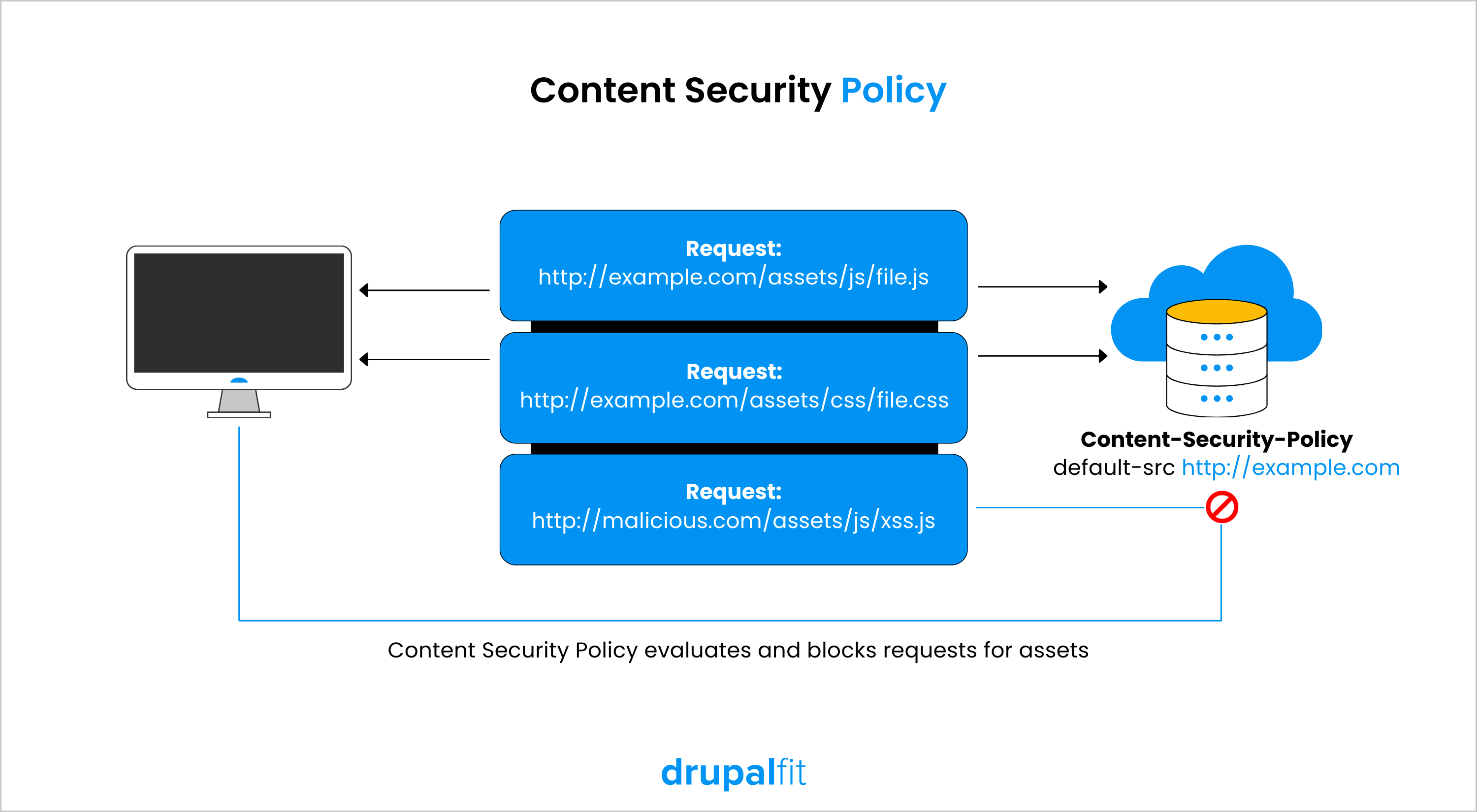
A Content Security Policy (CSP) is a web security standard that adds an extra layer of protection to web applications. It allows developers to explicitly define which resources, such as JavaScript, CSS, images, fonts, and frames, are allowed to load and execute on a webpage.
The main functions of a content security policy can be categorized into three parts:
- Ensuring that all scripts are secure and approved by the application owner (preferably by confirming they correspond to a random identifier defined in the policy known as the CSP nonce),
- Making sure that page resources like images, stylesheets, or frames are sourced from reliable origins,
- Various additional security measures: stopping the application from being framed by untrusted sites, automatically upgrading all resource requests to HTTPS, among others.
Implementing a strict policy that blocks untrusted scripts or plugins can provide an essential defense layer against markup injection attacks. This documentation emphasizes the XSS mitigation feature of the content security policy, as XSS is among the most prevalent and harmful web vulnerabilities.
How CSP Directives Are Structured?
A Content Security Policy is defined as a series of directives, separated by semicolons. Each directive controls a specific type of resource or behavior.
Every directive follows this structure:
- Directive name
- A space
- One or more allowed values
Different directives can have different values depending on what they control.
Example:
Content-Security-Policy: default-src 'self'; img-src 'self' example.com
This policy contains two directives:
- default-src 'self'
- img-src 'self' example.com
What this means:
default-src 'self'
Sets a default rule allowing resources to load only from the same origin as the website.
img-src 'self' example.com
Overrides the default rule for images, allowing images to load from:
- The same origin
- example.com
Unless a more specific directive is defined, the browser applies the rules from default-src.
Also Check Out
Time to Interactive (TTI): Why It Matters and How to Improve It
Technical SEO Excellence: Boost Visibility with Smart Audits Using DrupalFit
Common CSP Directives Explained
default-src | default-src sets the default rules for loading all resources. Using 'self' allows resources only from the same website. It acts as a fallback when no specific directive is defined. |
|---|---|
script-src | Specifies the allowed sources for JavaScript files. If your website does not rely on client-side scripting, this directive can be set to 'none' to prevent any scripts from executing. |
img-src | Controls where images can be loaded from. This is useful for restricting image sources to trusted domains, especially when third-party content is involved. |
media-src | Defines the permitted sources for rich media such as audio and video files. |
object-src | Specifies the allowed sources for plugins like Flash or other embedded objects. In modern applications, this is often set to 'none' to reduce attack surfaces. |
manifest-src | Controls where web application manifest files can be loaded from. |
frame-ancestors | Defines which origins are allowed to embed the page using <frame>, <iframe>, <object>, <embed>, or <applet>. This directive helps prevent clickjacking attacks. |
form-action | Specifies which URLs are allowed as targets for form submissions. Unlike many other directives, form-action does not fall back to default-src, making it important to define explicitly when using forms. |
plugin-types | Restricts which plugin MIME types can be activated via embedded objects, applets, or embeds. |
base-uri | Controls which URLs can be used in the <base> element, helping prevent attackers from changing how relative URLs are resolved. |
Applying These Directives in Real CSP Configuration
Now that the individual directives are clear, let’s see how they come together in a real-world scenario.
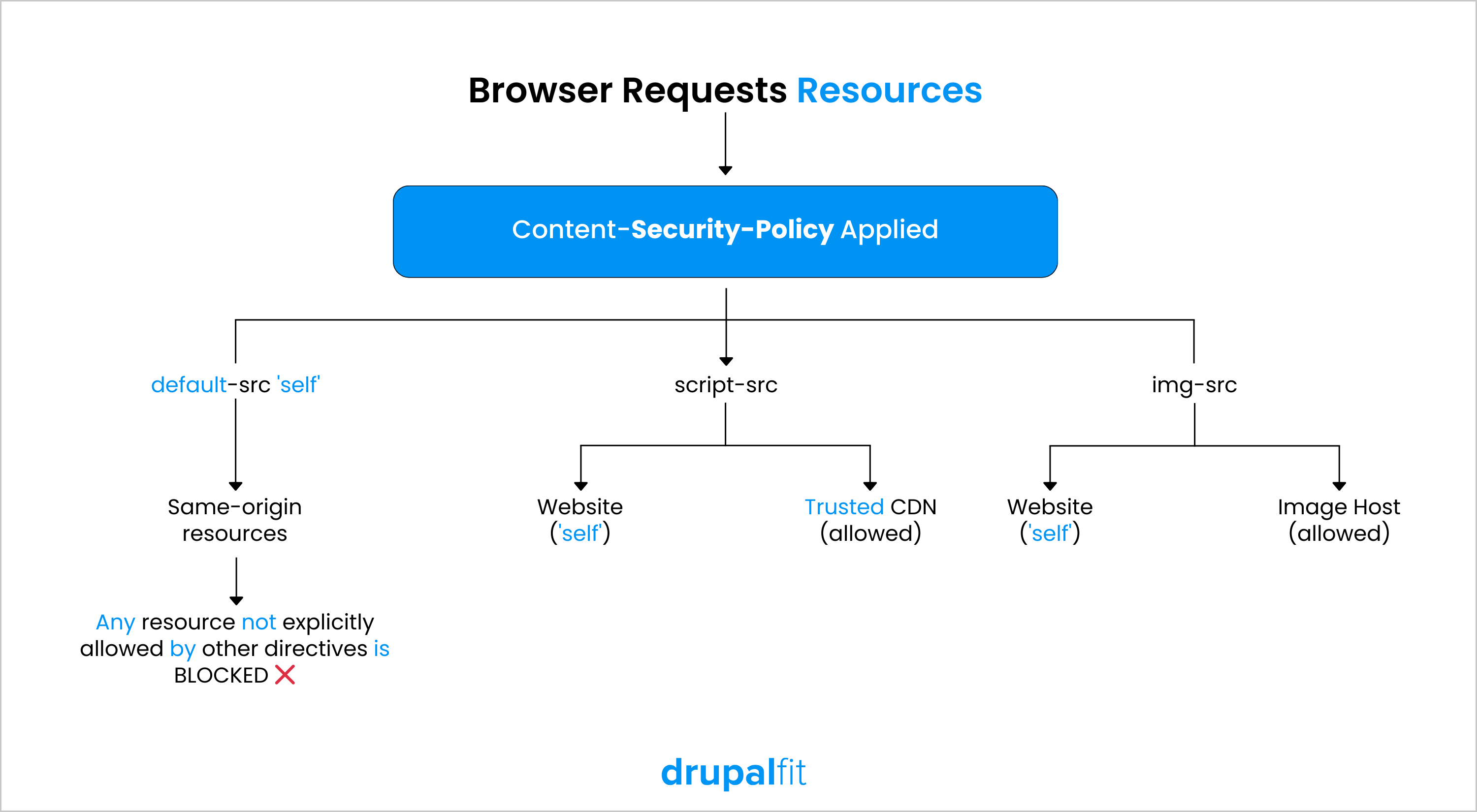
Below is an example of a content security policy designed specifically to control scripts and images, which are two of the most common attack vectors for XSS and content injection.
CSP for Images and Scripts
Content-Security-Policy:
default-src 'self';
script-src 'self' https://trusted.cdn.com;
img-src 'self' https://images.example.com;
What this does:
- default-src 'self' sets a safe baseline for all resources
- script-src allows JavaScript only from:
- The website itself ('self')
- A trusted content delivery network
- img-src allows images only from:
- The website itself
- A specific external image host
By explicitly listing trusted domains, the content security policy prevents the browser from loading scripts or images from unknown or malicious sources.
How CSP Works?
CSP operates at the browser level through a simple but powerful mechanism:
- The server sends a Content-Security-Policy header with the HTTP response.
- The browser reads and enforces the defined rules.
- Any resource that violates the policy is blocked or reported.
This ensures that even if an attacker manages to inject malicious code into the page, the browser prevents it from executing.
Understanding how the content security policy works is the first step. The real impact comes from configuring it correctly for your website’s structure, resources, and third-party integrations.
Reviewing and testing your CSP regularly helps ensure your policies remain effective as your site evolves and new scripts or services are added.
But...
Why is Content Security Policy Important?
A Content Security Policy acts as a protective layer between your website and the browser, defining what content is allowed to run and stopping malicious behavior before it reaches users.
The points below outline the key security benefits of implementing a strong Content Security Policy:
Reducing Cross-Site Scripting
The primary goal of CSP is to reduce and identify XSS attacks. XSS attacks take advantage of the browser's trust in the content it receives from the server. The browser of the victim can run harmful scripts because it trusts the content source.
Content Security Policy enables server administrators to limit or prevent an attacker from executing XSS by defining which Internet domains are seen as valid sources for executable scripts. Browsers that comply with CSP will only execute scripts from source files that come from approved domains, ignoring all other scripts, including inline scripts and HTML event handling attributes.
Preventing Online Skimming and Magecart Attacks
Modern e-commerce attacks often target the client side, especially payment forms. Magecart-style attacks inject malicious JavaScript to skim credit card details before they are sent to the server.
Content Security Policy helps prevent these attacks by:
- Blocking unauthorized third-party scripts
- Restricting where scripts can be loaded from
- Detecting suspicious script behavior via reporting
For Drupal Commerce checkout pages, this is especially critical due to the heavy use of third-party integrations like payment gateways, analytics, and marketing tools.
Reducing Packet Sniffing and Enforcing HTTPS
Besides whitelisting domains for content loading, servers can also define the allowed protocols. For instance, the server can require that browsers load content through HTTPS.
A thorough data transfer protection policy includes not just using HTTPS for data transfer, but also ensuring all cookies have the secure attribute and automatically redirecting HTTP pages to HTTPS. Furthermore, sites can implement HTTP Strict-Transport-Security headers to guarantee that browsers connect to the site only through secure channels.
ALSO CHECK OUT
Website Audit: Perform Like a Pro and Elevate Your Digital Experience
Full-Spectrum Site Analysis: Where SEO, Performance, Security & Accessibility Converge
DrupalFit: Your One-Stop Solution for Security, Accessibility & Performance
A Real-World Example of CSP Optimization
To better understand the impact of Content Security Policy (CSP), let’s look at a real example of how DrupalFit helped a client strengthen their website security.
Initial Security Audit
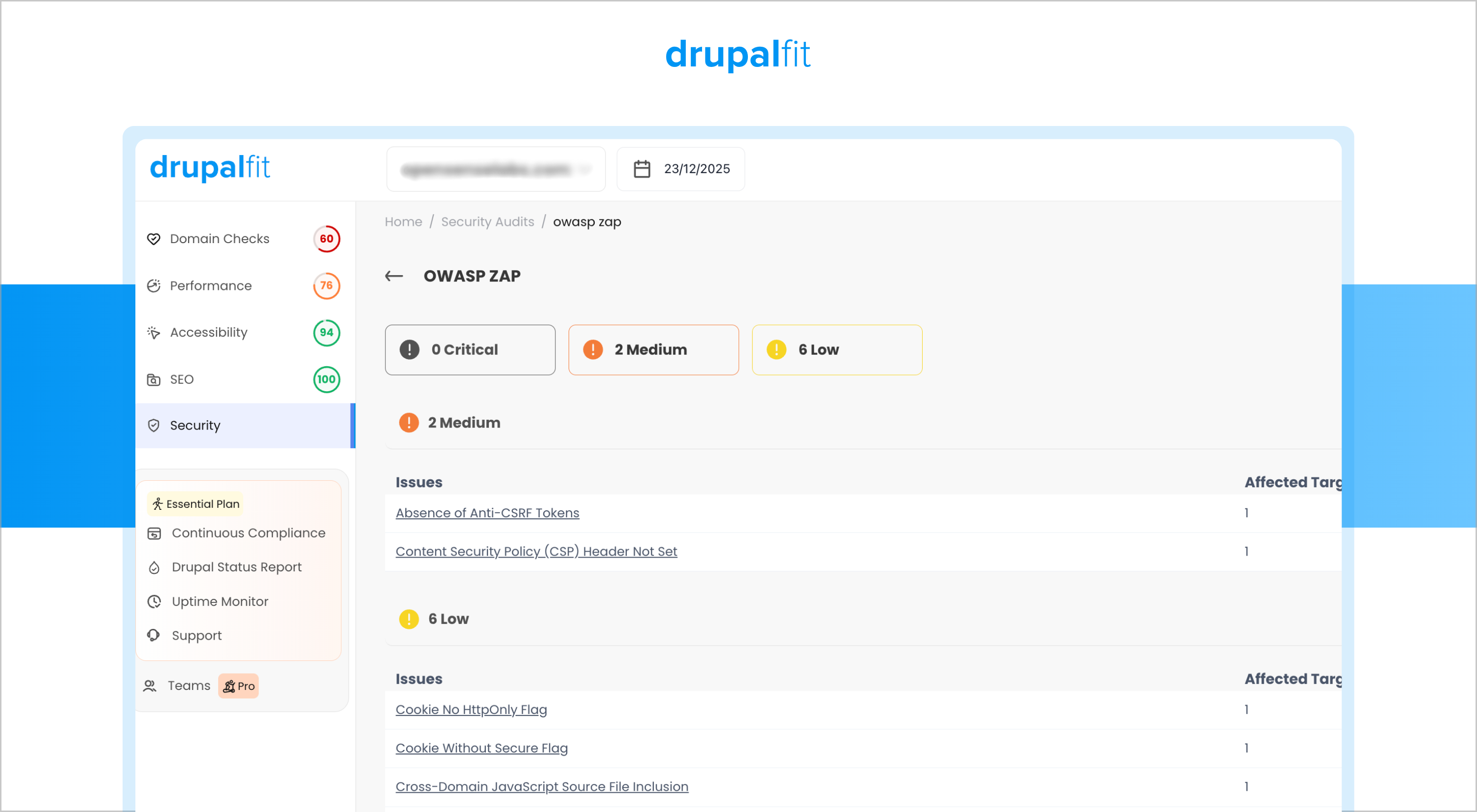
When we ran a comprehensive security audit on the client’s Drupal website, the results showed that the overall security posture was around 80%.
While this indicated a reasonably secure setup, the audit also revealed gaps in client-side security controls, particularly around how external scripts and dynamic resources were being loaded.
These gaps are common in growing Drupal websites that rely on multiple third-party integrations, analytics tools, and marketing scripts.
Identifying content security policy as a Key Improvement Area
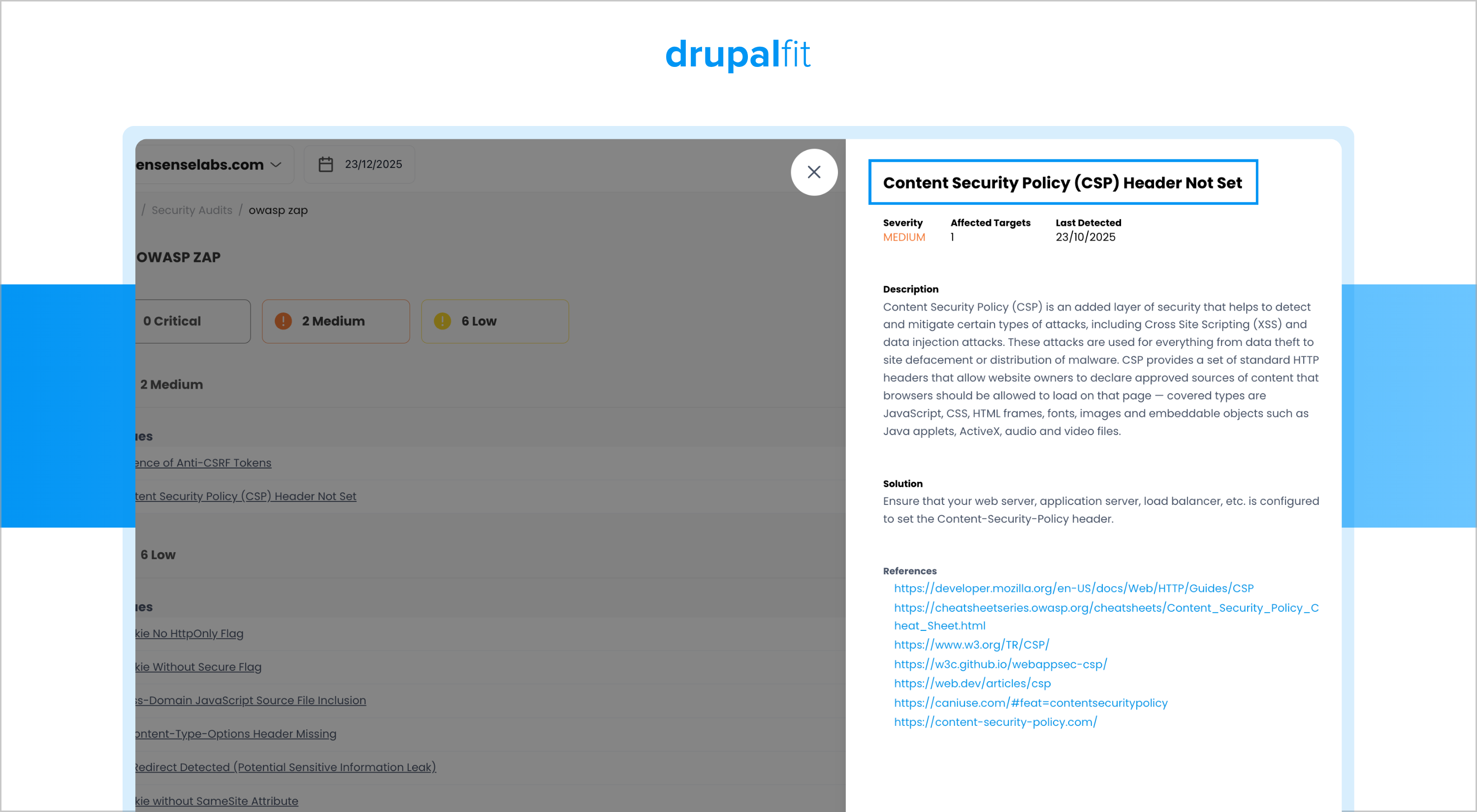
During the audit, we identified that the existing Content Security Policy was either loosely defined or not optimized for the site’s current architecture. This increased the risk of:
- Unauthorized script execution
- Client-side data exposure
- Vulnerability to XSS and skimming attacks
After implementing the updated content security policy and re-running the security audit, the website showed a clear improvement in its overall security score, moving beyond the initial 80% baseline.
This example shows that even focused improvements like tightening the Content Security Policy can make a meaningful difference to a website’s security, without the need for major architectural changes.
The Bottom Line
Content Security Policy is a practical way to control what your website is allowed to load and run in the browser. By defining trusted sources for scripts, images, and other resources, CSP helps stop common attacks like XSS and online skimming before they reach users. The real value of CSP comes from configuring it carefully and keeping it aligned with your site’s evolving setup. As seen in real-world use, even small improvements to CSP can noticeably strengthen client-side security without major changes.