
Drupal Webform Security Update Released on 23 September 2026
Palak Agrawal
Published on September 28, 2026
10 min read
Share on:
A contact form may look like one of the simplest parts of a website. Behind that form, however, there can be software handling user input, uploaded files, submitted data, emails, and other website functions.
That is why a security issue in a form module can have consequences beyond the form itself.
On 23 September 2026, the Drupal Security Team released a series of security updates for the Webform module, one of the most widely used contributed modules for building forms in Drupal. The release fixes several security issues, including cross-site scripting, access bypass, server-side request forgery, and a critical remote code execution vulnerability.
The critical issue does not affect every Webform installation. It requires a specific configuration involving custom multiple-value formats and submission-value tokens. This article explains what Webform does, what security issues were found, what was included in the 23 September release, and what you should do next.
What Is the Drupal Webform Module?
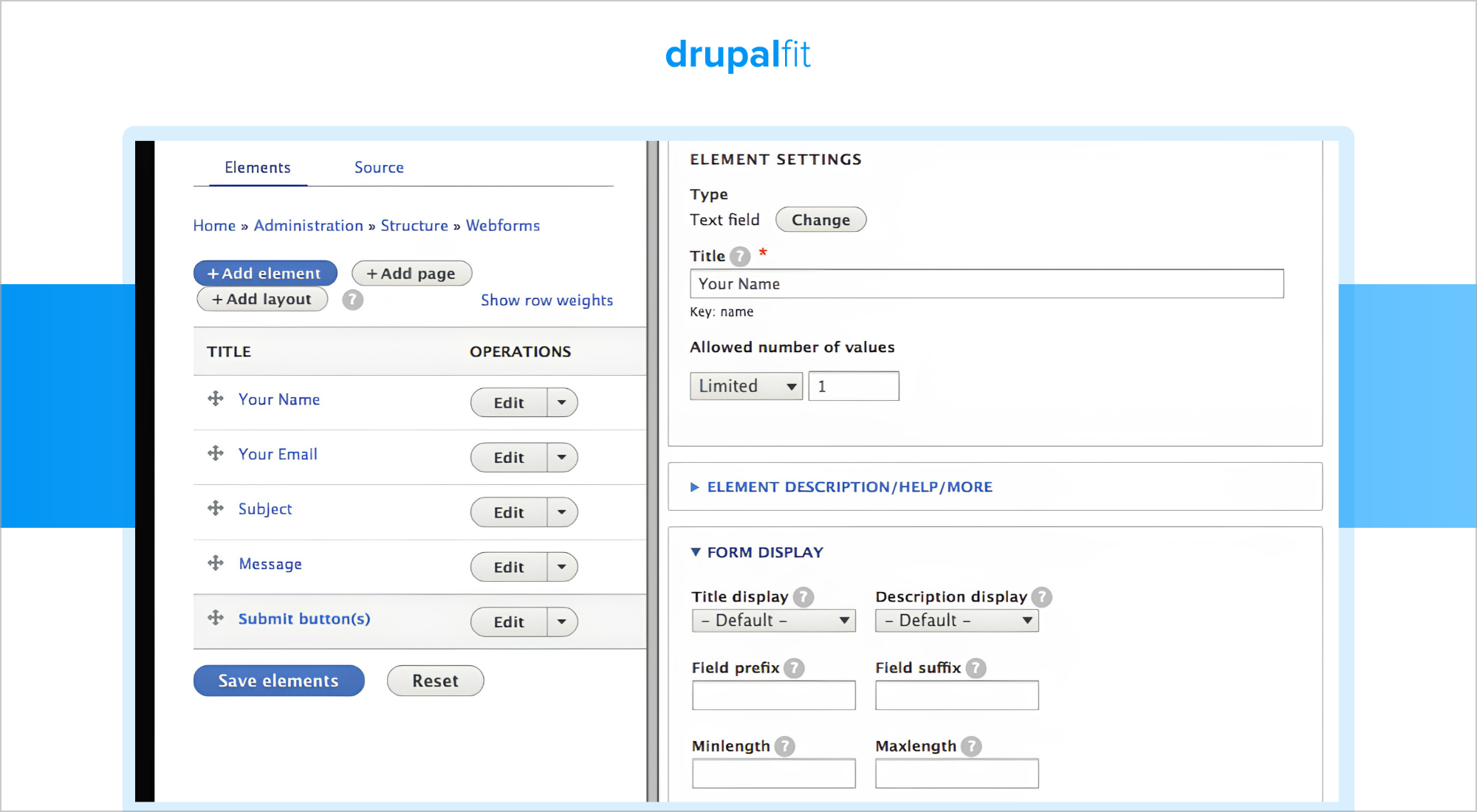
Webform is a contributed Drupal module that allows site builders to create forms, collect submissions, and manage the information users provide.
A basic website may use Webform for a contact or feedback form. Larger organisations may use it for more complex processes such as:
- Job applications
- Event registrations
- Surveys
- Customer enquiries
- Multi-step applications
- Forms with file uploads
- Forms with conditional fields
- Submission management and exports
The module also supports email handlers, integrations, custom formatting, and other features that allow organisations to build forms around specific business processes.
That means Webform can sit between a website visitor and information stored on the site. A submission may contain a name and email address, but it could also contain application details, customer information, uploaded documents, or other personal data.
This makes the security of the module important, especially on websites that use advanced Webform features.
The Webform project currently provides supported releases for Drupal 10 and Drupal 11, including the security releases issued on 23 September.
What Were the Security Issues in Webform?
On 23 September, the Drupal Security Team published a series of Webform security advisories. The problems covered different parts of the module and did not all require the same configuration or permissions.
The main categories were:
1. Cross-site scripting
Several issues could allow unsafe content to be interpreted as script in a user's browser under specific conditions. Some of these issues involved uploaded files or the way Webform content was rendered.
2. Access bypass
Several vulnerabilities involved Webform access controls. Under certain conditions, users could reach data or functionality that should have been restricted.
3. Server-side request forgery
An issue in the Webform Submission Export/Import functionality could allow a user with certain permissions to access the remote URL import path and cause requests to be made from the server.
4. Denial of service
One issue could allow a malicious request to consume significant server resources when a Webform was displayed to anonymous visitors under a specific configuration.
5. Remote code execution
This was the most serious vulnerability in the release.
The critical vulnerability is tracked as SA-CONTRIB-2026-175 and CVE-2026-96355. Drupal rated it 18 out of 25, with the exploit status listed as theoretical at the time of disclosure.
The problem is related to how Webform handles token replacement in certain format templates.
For the vulnerability to apply, a Webform must use a custom multiple-value item format that includes submission-value tokens. In that situation, an attacker could submit data that is later evaluated as template code when the submission is rendered.
Depending on the site's configuration and enabled modules, the issue could result in:
- Information disclosure
- Stored cross-site scripting
- Remote code execution on the server
This does not mean every website using Webform is exposed to the critical vulnerability. The affected configuration is specific. However, the number of other security issues included in the same release means site owners should still review and apply the update.
What Is the Drupal Security Release?
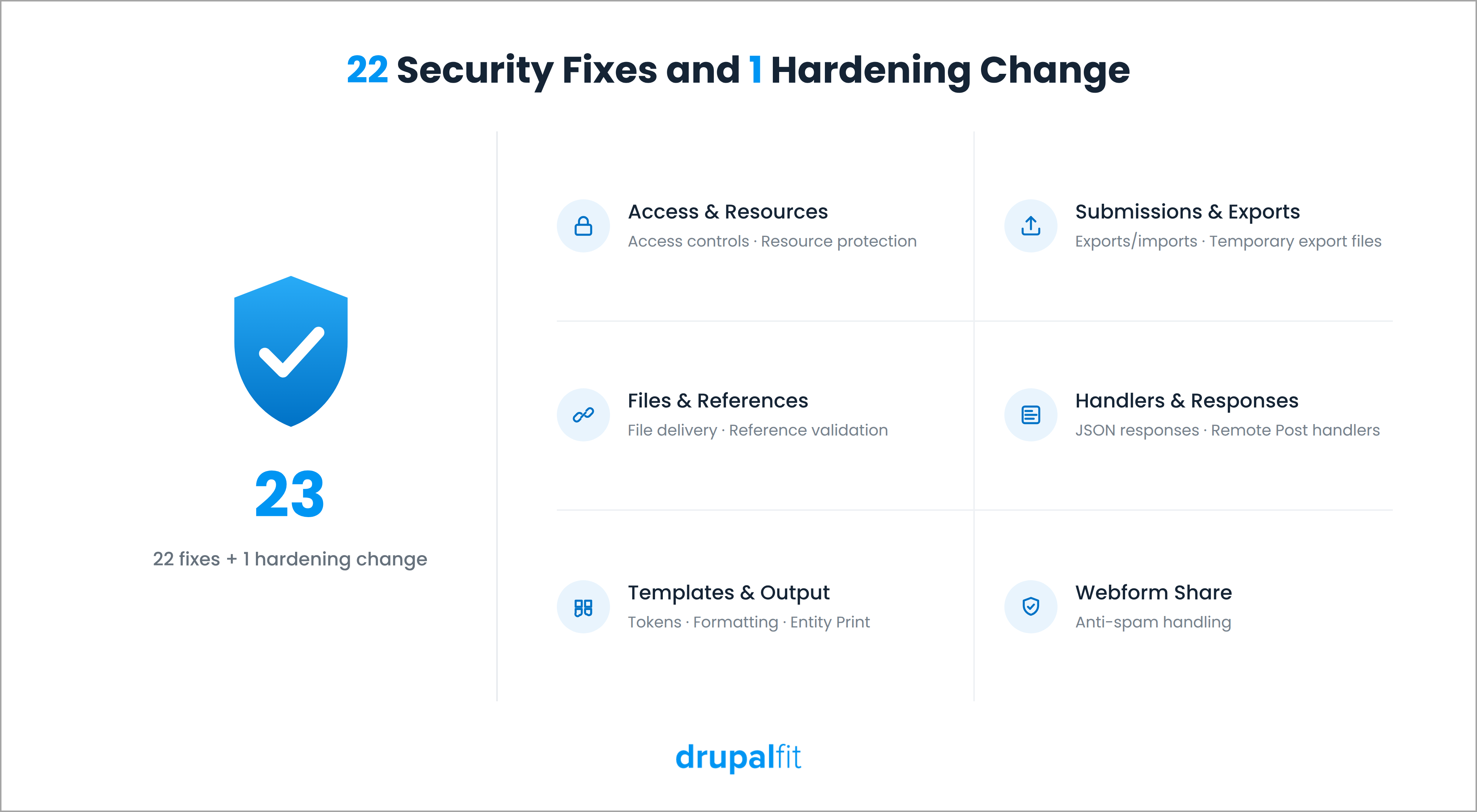
The 23 September update was more than a fix for the critical remote code execution issue. The Webform project released new versions containing a coordinated set of 22 security fixes and one additional hardening change.
The release also strengthened several parts of Webform, including:
- Access controls around submissions
- JSON responses
- Remote Post handlers
- Submission exports and imports
- Temporary export files
- Uploaded-file delivery
- Custom token and template formatting
- Entity Print output
- File-reference validation
- Resource protection
- Webform Share anti-spam handling
The additional hardening change also warns site builders when an autocomplete element may expose values collected from existing submissions. This gives administrators a chance to review whether that setup is appropriate for the users who can access the form.
Not every Webform installation is exposed to every issue. Some vulnerabilities depend on particular features, configurations, integrations, or user permissions.
That distinction matters because a site may not use the feature connected to one advisory but still be affected by another.
When Was the Drupal Security Release Published?
The Drupal Security Team gave site owners advance notice before the release.
On 21 September 2026, it announced that a widely used contributed module would receive a significant number of security fixes on 23 September. The announcement did not name Webform at first.
The release was scheduled for 17:00 to 21:00 UTC on 23 September. The Webform advisories were then published during that window. Drupal said the advisories could be published in batches because of the number of issues involved.
The Webform advisories covered numbers from SA-CONTRIB-2026-154 through SA-CONTRIB-2026-175. Two numbers, 156 and 157, were accidentally skipped and do not represent missing advisories.
The wider release also included advisories for other contributed projects. Drupal core was not affected.
The Drupal Security Team also confirmed before the release that these updates would not be covered by Drupal Steward. Organisations relying on Drupal Steward therefore still needed to apply the Webform updates themselves.
What Version Should You Upgrade To?
The update depends on which Webform branch your site is running.
Current Webform branch | Update to |
Webform 6.2.x | 6.2.12 |
Webform 6.3.x | 6.3.1 |
Webform 6.2.12 is the release for Drupal 10, while Webform 6.3.1 is the release for Drupal 11. Both releases contain the same coordinated set of 22 security fixes and one additional hardening change.
If you manage a Drupal site through Composer, the Webform project provides the corresponding Composer update paths for these releases.
Before applying the update to production, test it in your normal development or staging workflow. Pay particular attention to forms that use file uploads, custom formatting, submission exports, remote handlers or integrations.
What Should Site Owners Check After Updating?
Updating Webform should be the first step, but it should not necessarily be the last. After the update, review the Webform features your site actually uses.
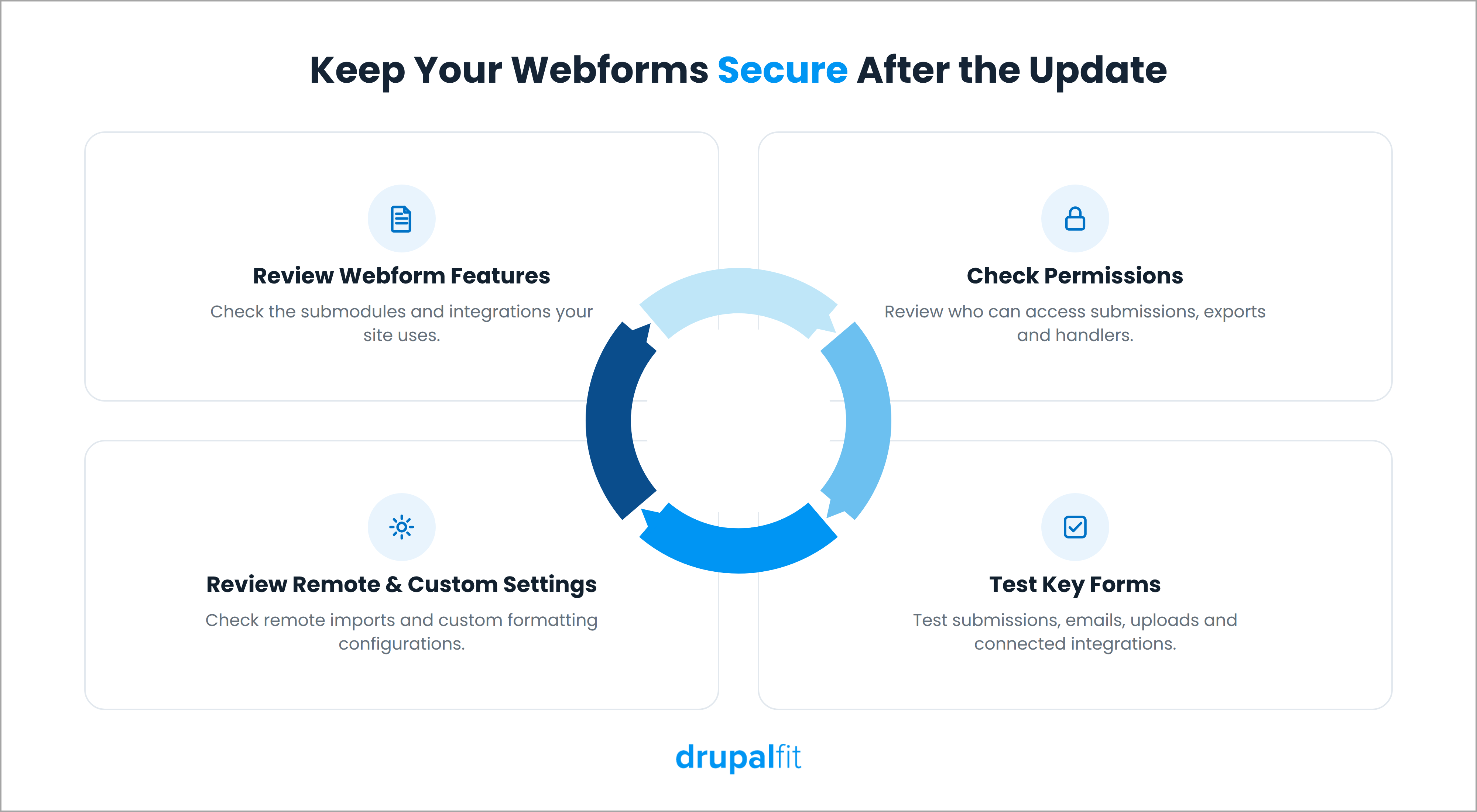
1. Check your Webform submodules.
Look at whether your site uses features such as Submission Export/Import, Webform Share, Entity Print or other integrations covered by the release.
2. Review permissions.
Several of the advisories depend on what users are allowed to do. Check who can create or edit webforms, view submissions, manage handlers, export data or configure remote operations.
3. Review remote imports.
If you use Webform Submission Export/Import with remote URLs, configure the trusted hosts recommended by Drupal.
4. Check custom formatting.
If your forms use custom multiple-value formats or submission-value tokens, review those configurations carefully because they are relevant to the critical RCE vulnerability.
5. Test important forms.
Submit test entries and check confirmation messages, email handlers, file uploads, submission views and any integrations connected to the form.
This gives you a much clearer picture of whether the update has affected anything your site depends on.
Why It Is Important to Get Regular Security Updates
The Webform release is a good example of why security updates need to be part of regular Drupal maintenance rather than something you handle only when a critical vulnerability makes the news.
Here are five important reasons as to why these security updates are important.
1. You address known vulnerabilities sooner.
Once a security issue is disclosed, the details are public. Applying the available fix reduces the amount of time your site remains exposed to a known problem.
2. You avoid falling several versions behind.
Regular updates are easier to manage than a large catch-up exercise. Keeping your modules reasonably current means your team has fewer changes to review and test when a security release arrives.
3. You support your security and compliance processes.
Regulations such as GDPR expect organisations to take appropriate measures to protect personal information. Keeping software updated is one part of maintaining that security process.
4. You reduce the cost of dealing with security incidents.
Applying and testing an update takes time, but recovering from a security incident can require investigation, remediation, communication with affected users, and additional technical work.
5. You can respond to critical releases more easily.
When a site is already maintained regularly, a critical security update is usually a smaller task. Teams are less likely to discover that several other outdated components need attention before the security fix can be applied.
Regular updates do not eliminate security risks, but they remove known vulnerabilities before they become a bigger problem.
Continuously Audit Your Drupal Website for Security
The 23 September 2026 Webform security release addresses a broad set of security issues, including a critical remote code execution vulnerability linked to specific Webform configurations. Site owners using Webform 6.2.x should upgrade to 6.2.12, while those on 6.3.x should move to 6.3.1.
Applying the update is one part of keeping a Drupal website secure. Site owners should also review permissions, configurations, integrations, and other components that could introduce security risks over time. Regular website audits can help teams find these issues before they turn into larger security problems.
DrupalFit helps Drupal teams audit their websites for security, accessibility, performance, privacy, and compliance issues. By bringing these checks into one dashboard, teams can get a broader view of their website's security posture and identify areas that need attention.
FAQs
Which Webform version fixes the critical vulnerability?
Sites running the 6.2.x branch should update to 6.2.12, while sites running the 6.3.x branch should update to 6.3.1. The critical vulnerability is tracked as CVE-2026-96355.
Was this vulnerability being actively exploited before the fix came out?
No. The Drupal Security Team classified the exploit status as theoretical, meaning there was no known public exploit at the time of disclosure. That can change once vulnerability details become public, which is why applying the available fix promptly is still important.
Does this affect Drupal core, or only certain modules?
Drupal core was not affected. The 23 September security release covered vulnerabilities across contributed Drupal projects, including Webform.
I do not use the Submission Export/Import feature. Do I still need to update?
Yes. The Submission Export/Import issue is separate from the critical remote code execution vulnerability. Not using that feature removes your exposure to that specific SSRF issue, but other Webform vulnerabilities may still apply to your site.
Is this release covered by Drupal Steward?
No. The Drupal Security Team stated that this release was not covered by Drupal Steward. Sites relying on the programme therefore needed to apply the Webform update themselves.